Reports
Specwright generates two complementary report types after every test run. Both live under reports/ in your project root.
BDD HTML Report
Run pnpm report:bdd to generate the Cucumber BDD HTML report. It groups results by module and workflow phase using a directory-structured sidebar, making it easy to see which features and scenarios passed or failed.
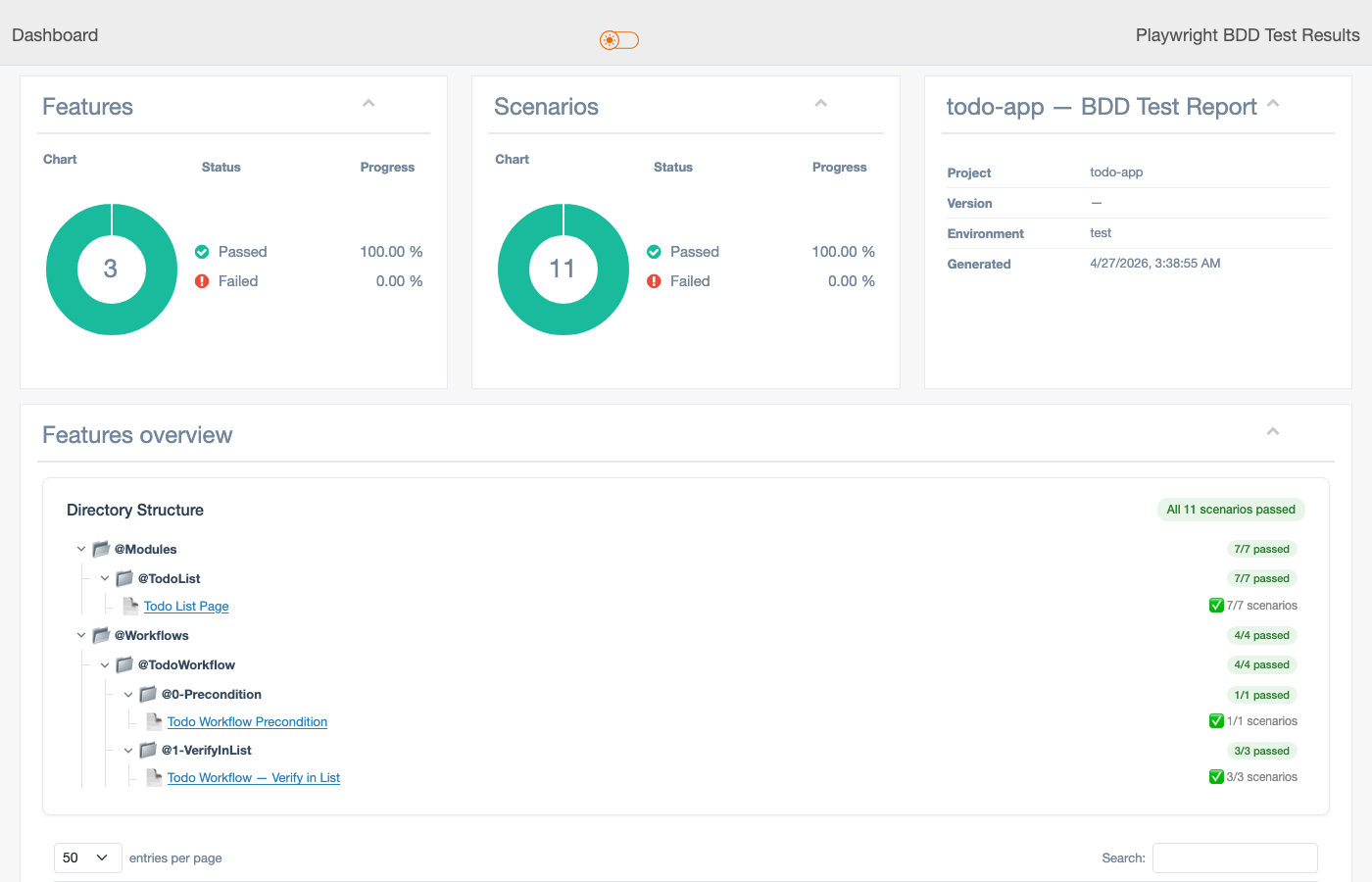
Dashboard — features & scenarios overview
Donut charts for pass/fail/skip counts. Directory tree groups @Modules and @Workflows separately, with per-phase pass counts for multi-phase workflows.
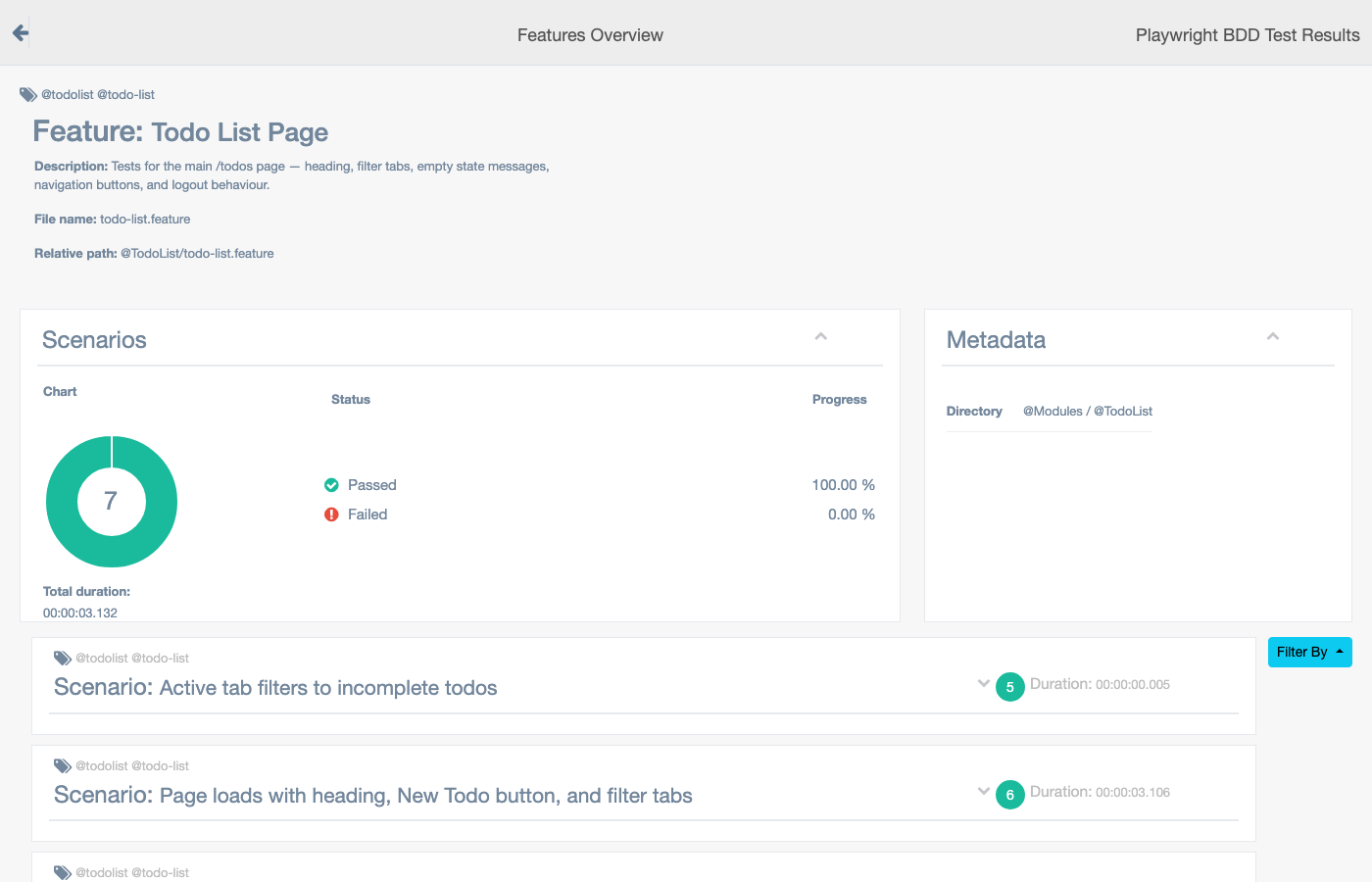
Feature detail — scenario-level breakdown
Each feature page lists all scenarios with tags, duration, and step-by-step pass/fail detail. Tags like @todolist are clickable filters.
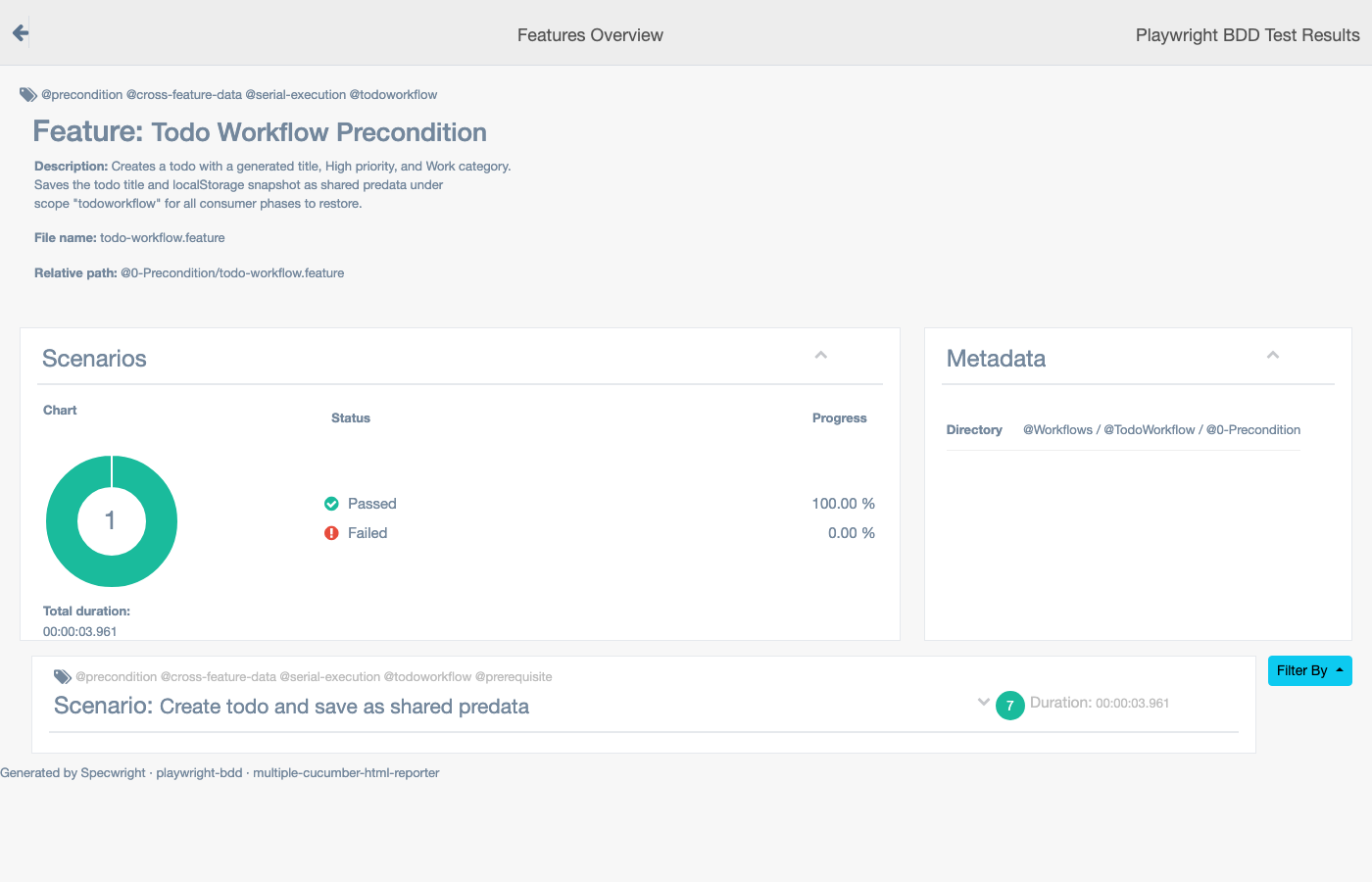
Workflow phase — @0-Precondition detail
Workflow phases appear as separate entries under the workflow directory. Tags like @precondition, @cross-feature-data, and @serial-execution are visible per scenario, reflecting the exact tags in the feature file.
Module / Workflow segregation
The sidebar directory tree mirrors your feature file structure:
@Modules/
  @TodoList/           ← 7 scenarios
@Workflows/
  @TodoWorkflow/
    @0-Precondition/   ← 1 scenario (serial, creates shared data)
    @1-VerifyInList/   ← 3 scenarios (parallel consumers)
This makes it easy to see cross-phase data flow and verify that precondition scenarios ran before consumers.
Generating the BDD report
pnpm report:bdd        # generate HTML from reports/cucumber-bdd/report.json
pnpm report:bdd:open   # open in browser
Note:
reports/cucumber-bdd/report.jsonmay be empty (0 bytes) when tests fail mid-run. This is a known limitation ofcucumberReporter— use the Playwright report for failure analysis in that case.
Playwright HTML Report
Run pnpm report:playwright for the Playwright HTML report. It provides traces, network activity, console logs, and embedded video playback for every test.
pnpm report:playwright # open Playwright HTML report
Report artifacts
| Artifact | Location | Contents |
|---|---|---|
| BDD HTML | reports/cucumber-bdd/html-report/ | Feature/scenario grouped, tag filters |
| Playwright HTML | reports/playwright/ | Timeline, network, console, traces |
| JSON (Playwright) | reports/json/results.json | Authoritative pass/fail per test |
| Cucumber JSON | reports/cucumber-bdd/report.json | Source for BDD HTML report |
| Failure screenshots | reports/screenshots/ | Named failure-{scenario-name}.png |
| Traces | test-results/ | .zip files — view with npx playwright show-trace |
| Videos | test-results/ | video.webm per test (when enabled) |